What is Broid?
Broid is an adaptation of Seam to Love2D, attempting to solve many problems with graphics and UI in 2D games on Love.
Some features of Broid include:
- Reactive cause and effect states
- Event sequences (in development)
- Memory management and cleanup with scopes
- Component system (in development)
- Treatment of elements as objects, not renders; everything has properties, events, and methods
- Custom data types, such as for enums and colors
- Scalable sizing and positioning
- Single call drawing
- Custom properties for elements that enrich functionality, such as anchor points or visibility
- Property-based syntax for objects, allowing states to hook directly into renders
- Animations, which are treated as states
- And more!
warning
BROID IS STILL UNDER ACTIVE DEVELOPMENT! As such, don't expect it to be at it's full potential yet. It is a pre 1.0.0 software, so there may also be bugs and more.
Here is some sample code to help you understand how powerful Broid is:
function love.load()
    local scope = broid.scope(broid)
    local state = scope:value("idle")
    local rotation = scope:spring(0, 20, 0.5)

    local object = scope:new("drawable", {
        drawable = love.graphics.newImage("assets/img/button.png"),
        anchorPointX = 0.5,
        anchorPointY = 0.5,
        x = scale.x(0.5),
        y = scale.y(0.5),
        rotation = rotation,

        scaleX = scope:spring(scope:computed(function(use)
            if use(state) == "idle" then
                return 1
            elseif use(state) == "hover" then
                return 1.1
            elseif use(state) == "press" then
                return 0.8
            end
        end), 30, 0.5),

        scaleY = scope:spring(scope:computed(function(use)
            if use(state) == "idle" then
                return 1
            elseif use(state) == "hover" then
                return 1.1
            elseif use(state) == "press" then
                return 0.8
            end
        end), 30, 0.5),

        [event.mouseEnter] = function()
            print("Mouse entered!")
            state.value = "hover"
        end,

        [event.mouseLeave] = function()
            print("Mouse left!")
            state.value = "idle"
        end,

        [event.mouseButton1Down] = function()
            print("Mouse button 1 down!")
            state.value = "press"
        end,

        [event.mouseButton1Up] = function()
            print("Mouse button 1 up!")
            state.value = "idle"
            rotation.velocity = math.pi / 2
        end,
    })
end
To make this work, we just have to call .draw() in love.draw():
function love.draw()
    broid.draw()
end
And this is our result:
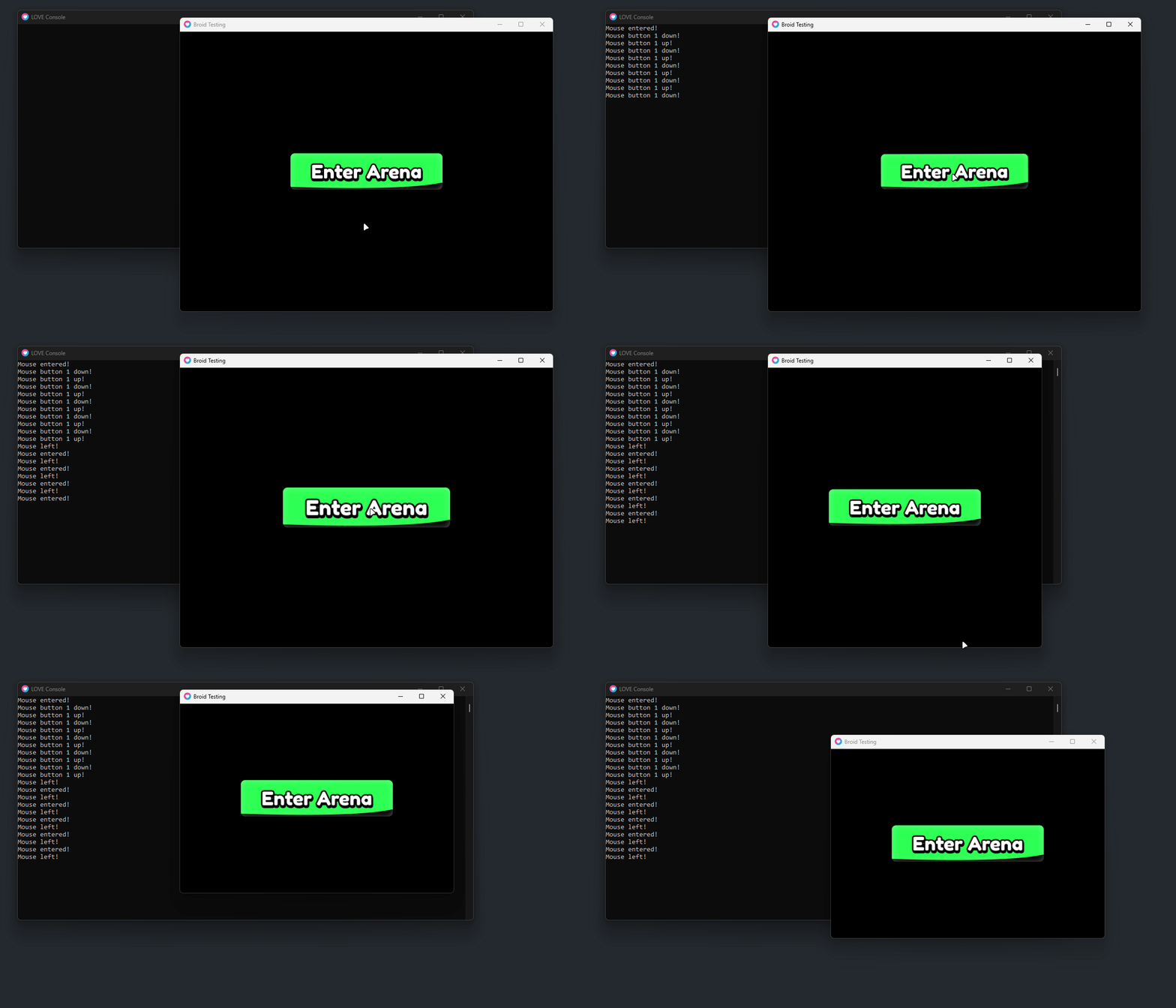
You're saving time with less work
It's almost a miracle. Gone are the days of manually doing everything Broid can do... because Broid can do it!
Supported elements
Refer to the below table to know what is supported, and to what degree
| Element type | Supports render | Supports input |
|---|---|---|
| Arc | ✖ | ✖ |
| Circle | ✔ | ✔ |
| Drawable | ✔ | ✔ |
| Mesh | ✖ | ✖ |
| Array Texture | ✖ | ✖ |
| Quad | ✖ | ✖ |
| Ellipse | ✖ | ✖ |
| Line | ✖ | ✖ |
| Points | ✖ | ✖ |
| Polygon | ✖ | ✖ |
| Text | ✔ | ✔ |
| Rectangle | ✖ | ✖ |
| Stencil | ✖ | ✖ |
| Triangle | ✖ | ✖ |